
AI course creation
AI course creation, with your experts in control.
Paste teaching material or upload files. CourseTitan, the AI engine inside LaserLMS, designs an outline, writes pages, quizzes and forums, and builds a complete course you can review and edit.
Watch one brief become a course.
This is a real run. The brief asked for an OSHA safety course for new joiners on an ecommerce warehouse shipping team.
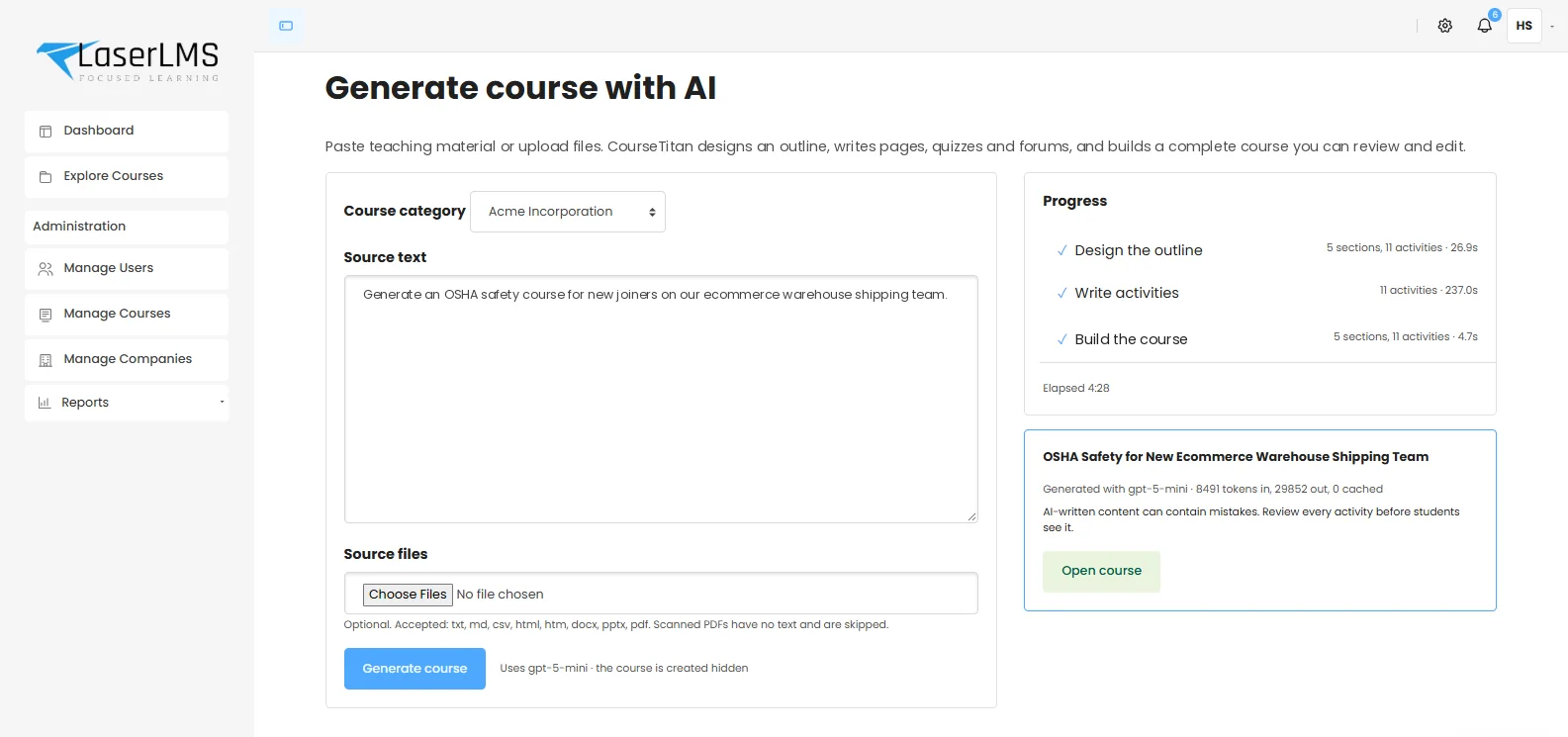
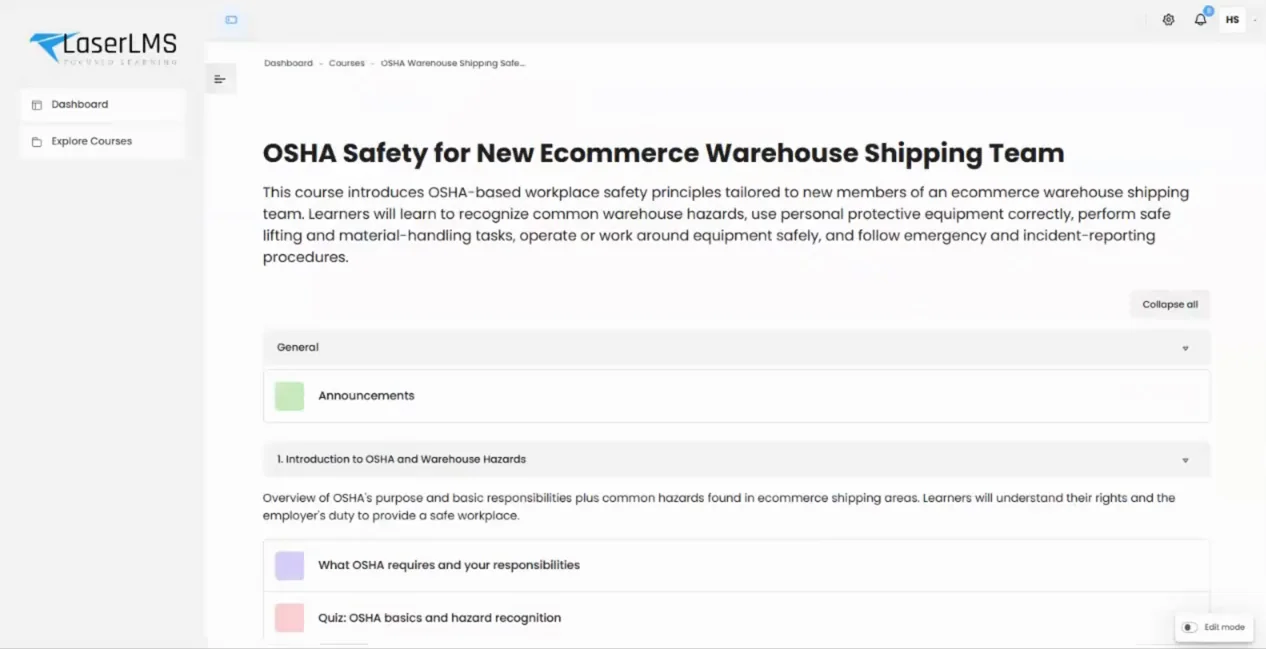
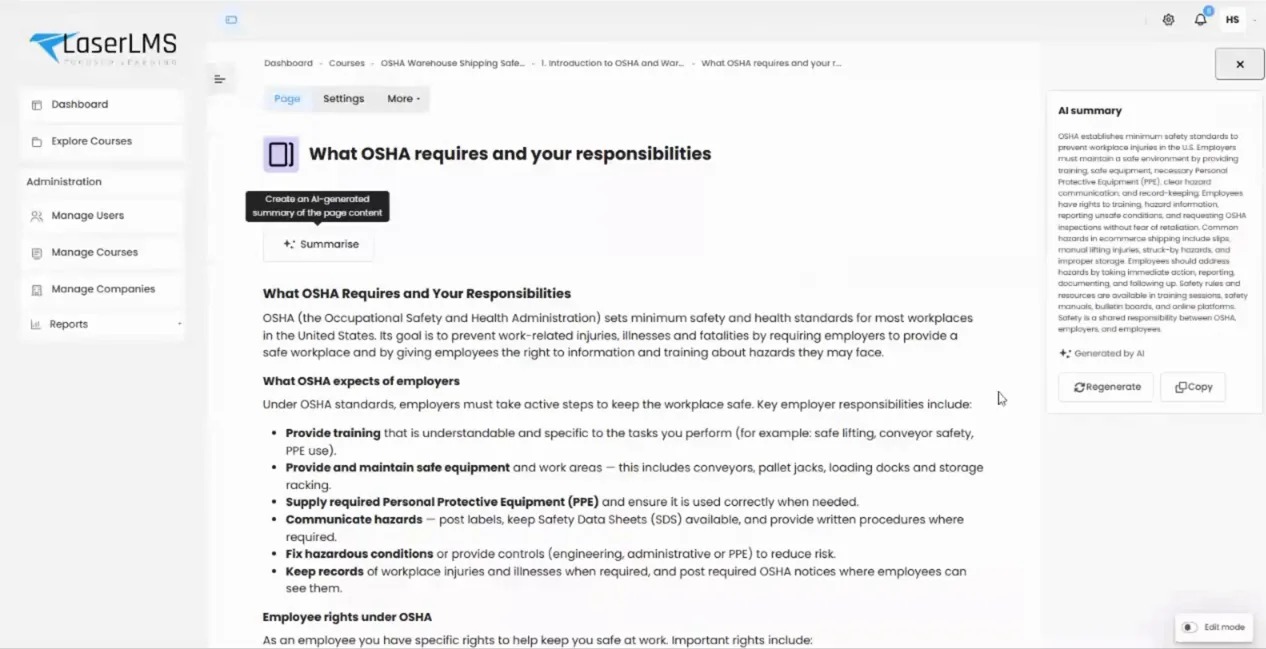
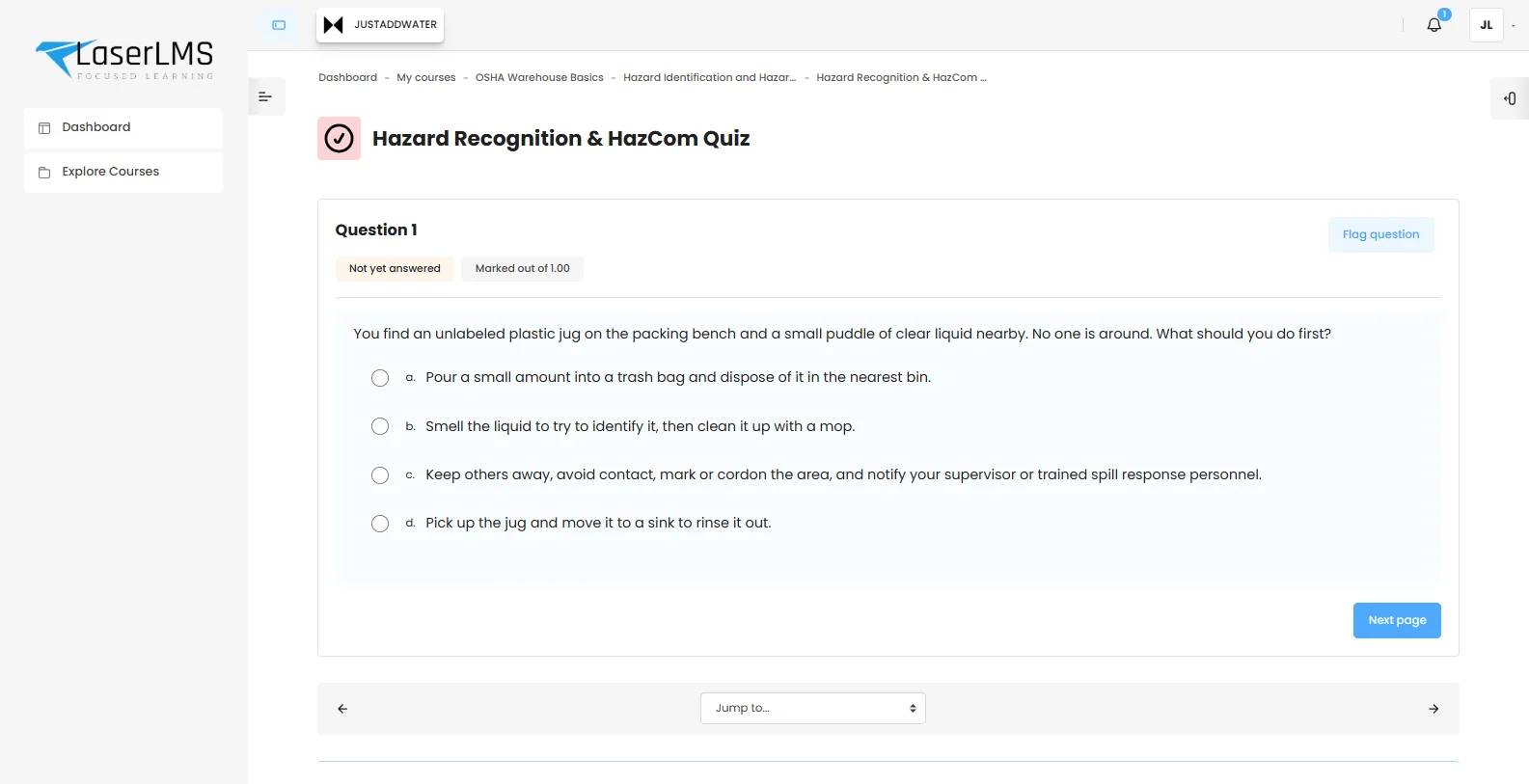
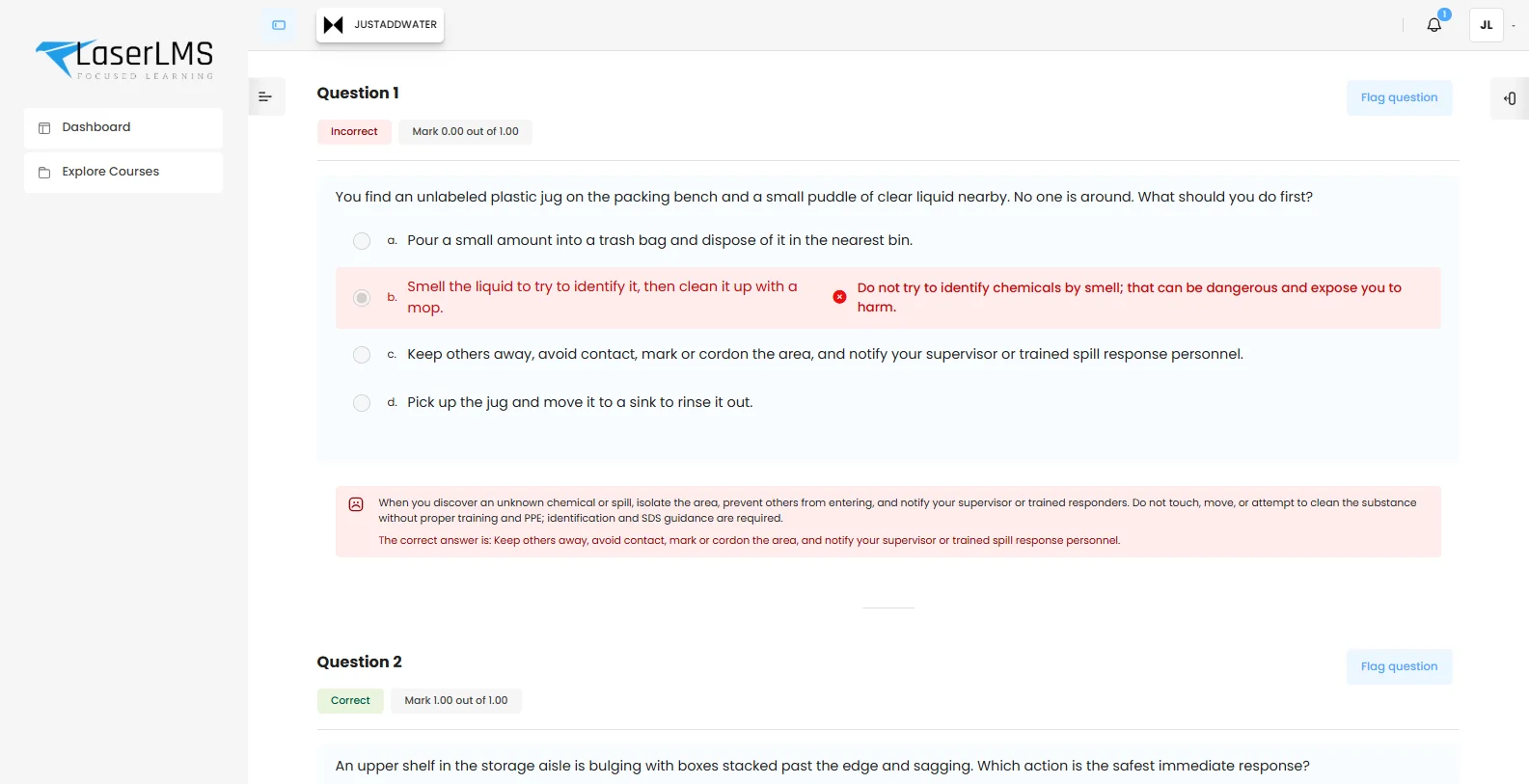
What the run produced, and how long it took.
Timings and token counts are shown on screen after every generation, so you know exactly what each draft cost and how long it took.
Generated with gpt-5-mini: 8,491 tokens in, 29,852 tokens out.
What CourseTitan writes
| Course summary | A description of who the course is for and what they will be able to do. |
|---|---|
| Sections | A logical sequence, for example: introduction to OSHA and warehouse hazards, PPE and hazard communication, manual handling, equipment safety, emergency response. |
| Pages | Structured lessons with headings, explanations, lists and worked examples. |
| Quizzes | Multiple choice and true or false questions, with feedback on every option. |
| Forums | Discussion prompts that apply the content, such as identifying hazards and planning improvements. |
AI drafts. Your experts decide.
CourseTitan saves days of drafting, but it never publishes on its own. These controls are built in, not bolted on.
- Hidden by default. Every generated course is created hidden, with a notice to review every activity before learners see it.
- Normal editing. The result is a standard course, edited with the tools your team already uses.
- Your provider, your keys. Connect OpenAI or Anthropic directly. No intermediary service sits between you and the model.
- Model choice. Administrators choose the model, balancing cost, speed and quality.
- Usage on screen. Tokens in and out are shown for every generation.
- Company scope. Pick the company category the course belongs to, so it lands in the right tenant.
Where teams use it first
Role onboarding
A tailored first-week course for each role, from warehouse picker to finance analyst.
Policy to course
Upload a new policy and get a course with a knowledge check in the same afternoon.
Slide decks to e-learning
Turn the PowerPoint from last year's workshop into a self-paced course.
Refresher training
Draft short annual refreshers so compliance content stays current.
Related capabilities
AI course creation questions
Something else? Ask us in a demo.
Which AI models does CourseTitan use?
CourseTitan connects directly to the AI provider you choose, currently OpenAI or Anthropic, using your organisation's API keys. Administrators pick the model, and every generation shows the model and token usage.
Is our content used to train AI models?
Your material is sent only to the provider you configure, under your agreement with that provider. OpenAI and Anthropic both state that API data is not used to train their models by default. LaserLMS does not use your content to train any model.
Which files can we upload?
Text, Markdown, CSV, HTML, Word (.docx), PowerPoint (.pptx) and PDF files. Scanned PDFs that contain no text are skipped, so run them through OCR first.
Can learners see a course before it is reviewed?
No. Every AI-generated course is created hidden. It becomes visible only when someone with permission reviews it and makes it available.
Can we edit what the AI writes?
Yes. The output is an ordinary LaserLMS course. Edit pages, rewrite questions, reorder sections or delete activities with the normal course editor.
Bring a brief. Leave with a course.
In the demo we will generate a course from your own material, live, and walk through how your reviewers would approve it.
- Tailored to your use case, not a slide deck
- Cloud, dedicated or on-premises options explained
- Clear next steps and pricing for your scale