Compliance evidence
Compliance evidence you can hand to an auditor.
When a regulator, client or certification body asks who completed what and when, the answer should take minutes, not a week of spreadsheets. LaserLMS records the evidence as training happens.
What a LaserLMS training record contains
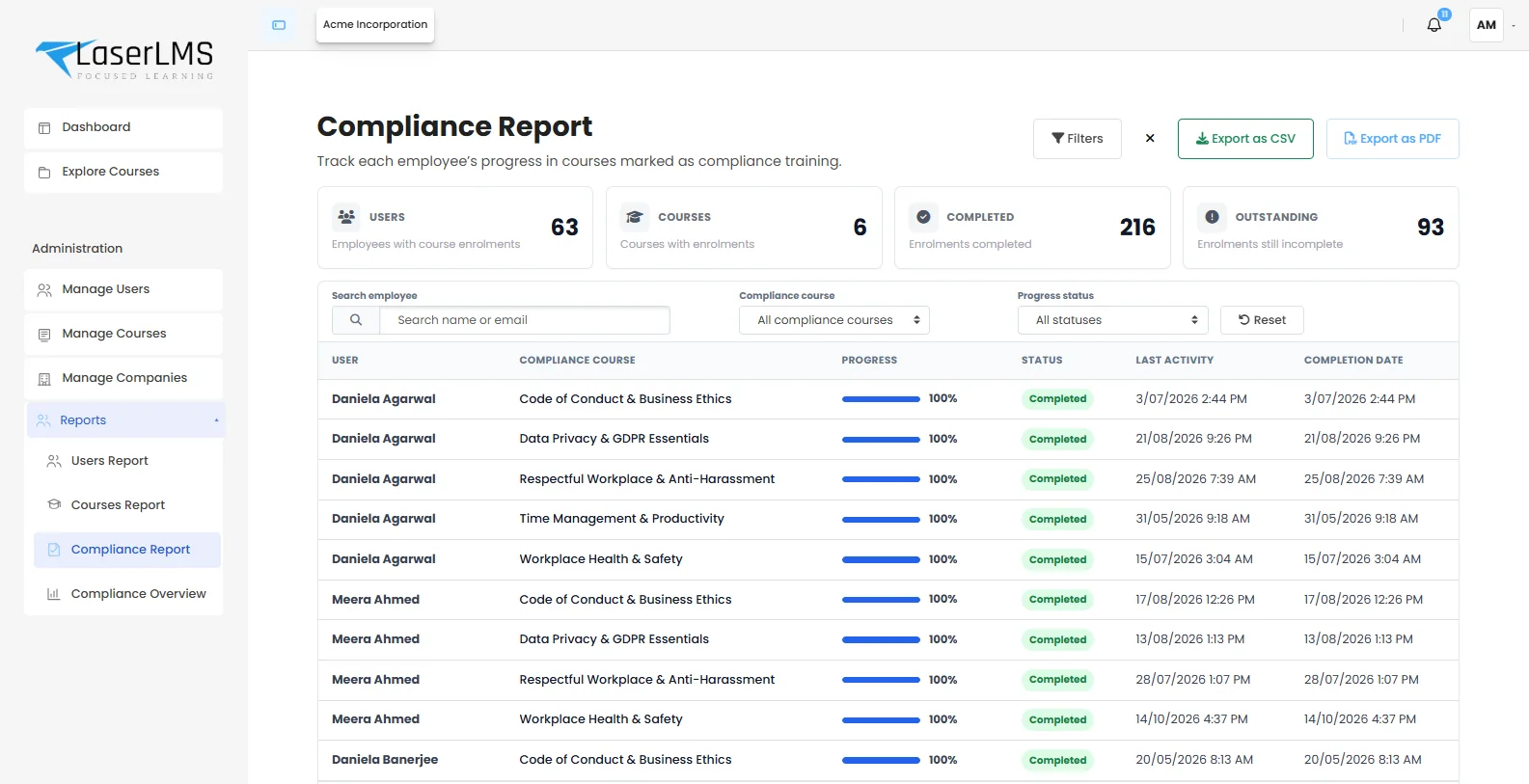
Each line in a compliance report is backed by a complete record, so you can answer the follow-up question as well as the first one.
| Who | Name, email, employee ID, department, manager, city and country. |
|---|---|
| What | Course, activities completed and the course's compliance flag. |
| When | Enrolment date, last activity and completion date and time. |
| How well | Progress, quiz scores, attempts and time spent. |
| Proof | Certificates with unique codes, policy acknowledgements with version and timestamp, and attendance for live sessions. |
See risk before the auditor does.
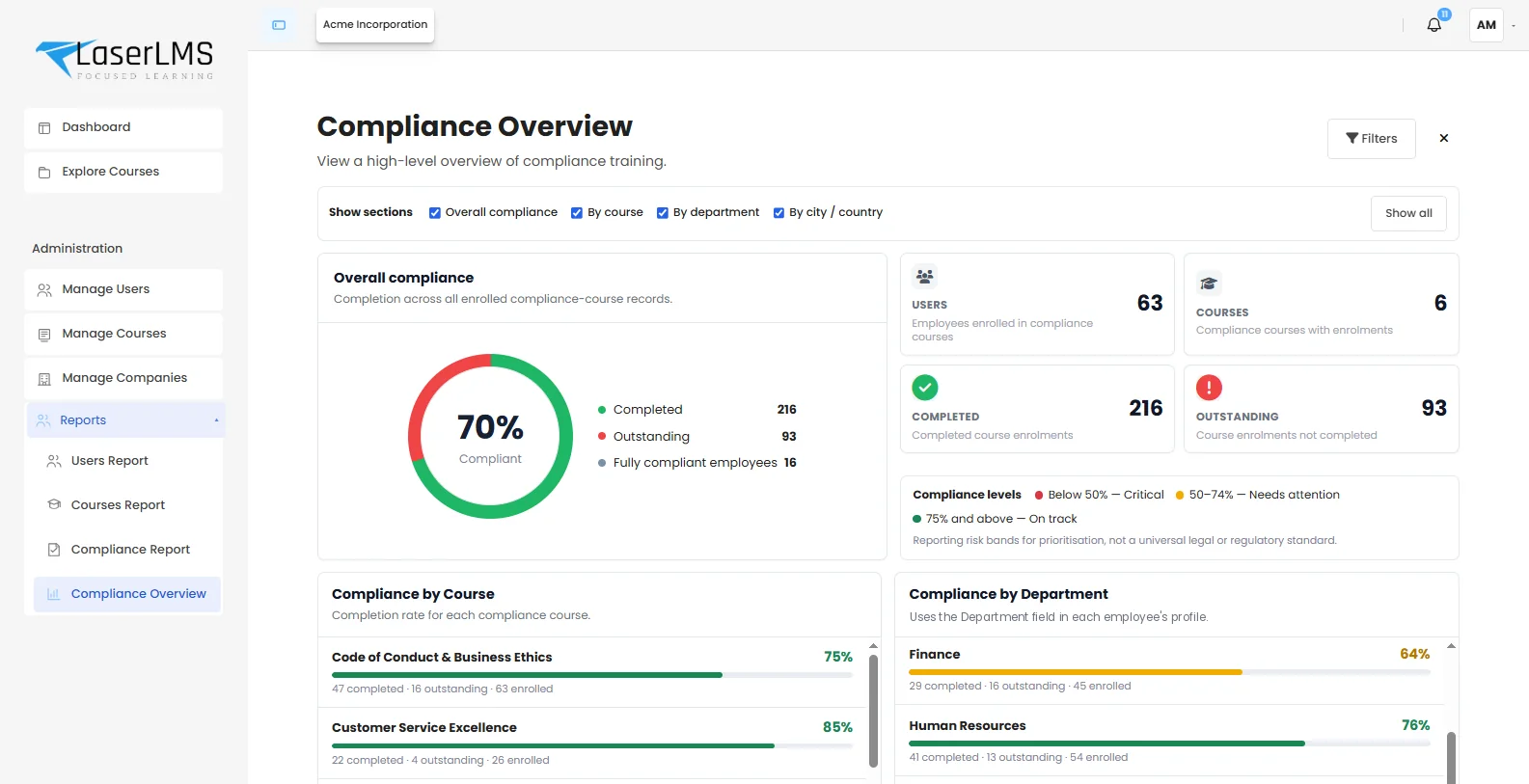
The compliance overview rolls every mandatory course into one picture: overall compliance, completed and outstanding enrolments, fully compliant employees, and breakdowns by course, department, city and country.
Risk bands are for prioritising follow-up. They are not a legal or regulatory standard, and you can adjust them.
From assignment to audit pack
Compliance is a cycle, and LaserLMS covers every step of it.
Assign
Mark a course as compliance training and assign it by cohort, department or company with a due date.
Track
Progress and status update as people learn, with last activity for every person.
Chase
Automatic reminders before and after due dates. Managers see exactly who to nudge.
Recertify
Validity periods expire completions on schedule and re-enrol people in time.
Prove
Filter the compliance report and export it to CSV or PDF, or schedule it to arrive by email.
Exports that answer the request in front of you.
Auditors rarely ask for everything. Filter first, by course, status, department or person, then export exactly that.
- CSV for analysis in Excel or your BI tool
- PDF for audit packs and regulator submissions
- Scheduled reports emailed to compliance owners
- System logs showing who changed enrolments, grades or settings, and when
Evidence that holds up.
- Timestamps are recorded by the system, not typed in by people.
- Leavers keep their history, so past training stays provable.
- Changes are logged, including manual overrides and who made them.
- Certificates carry unique codes that can be verified.
Related capabilities
Compliance questions
Something else? Ask us in a demo.
Which regulations does LaserLMS support?
LaserLMS is regulation-agnostic. Teams use it to evidence training for workplace safety (such as OSHA), data protection (GDPR and India's DPDP Act), anti-harassment requirements, GxP and SOP training, financial conduct rules and client contract obligations. LaserLMS records the evidence; your compliance team decides what each regulation requires.
Can we prove which version of a policy someone accepted?
Yes. Policy acknowledgements record the policy version and the date and time each person accepted it, and new versions can require fresh acceptance.
How do we handle annual recertification?
Set a validity period on recurring courses. Completions then expire on schedule, people are re-enrolled before they lapse, and reports show who is about to fall out of compliance.
How long are training records kept?
As long as your retention policy says. Records are not deleted automatically unless you configure a retention rule, and leavers keep their history for audits.
Show us your next audit request.
We will show you how LaserLMS would answer it, from the filter to the exported file.
- Tailored to your use case, not a slide deck
- Cloud, dedicated or on-premises options explained
- Clear next steps and pricing for your scale